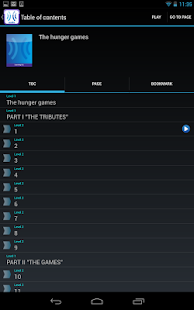
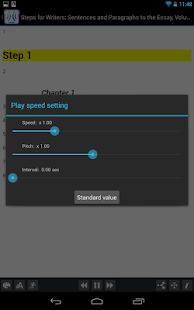
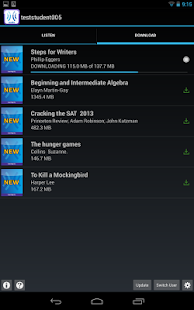
Learning Ally has started to add text to a handfull of audiobooks in its collection.
Learning Ally is an audio book library for people with print disabilities. The audio books with intergrated text download and opparate just like any other
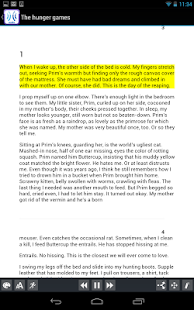
Learning Ally audiobook. If you prefer to just listen to the book and not read along you can do so. The book is read aloud with human narration and each paragraph is highlighted as it is being read. The text and highlighting help users follow the words as the text is being read which can help with comprehension. Some people might find it easier to follow the text if it highlighted word by-word or line- by-line instead of paragraph-by-paragraph, but including text is a great new feature.
The app on the
iPhone,
iPad, and
iPod Touch still does not allow for background download or reading which means that when you close the app the audiobook will stop. Even with these shortcomings it is exciting to see human audio and text in one easy to use app.
One title I found with the new feature is "
I Know Why the Caged Bird Sings." Learning Ally will begin offering more titles with text and audio in the future. To download the free Learing Ally app
click here.
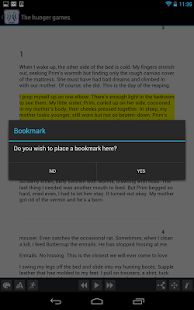
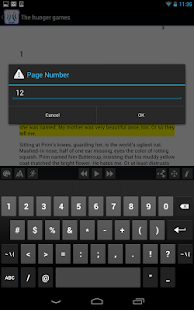
Click read more below to view screenshots of the app in action.
 Learning Ally, a provider of audio books for the blind and dyslexic, recently updated their iOS app. The free apps allows Learning Ally members to listen to their audio books while on the go. The new update brings a valuable new feature to the app. Now, the app allows users to listen to their audio books while using other apps at the same time, a feature commonly called background audio. The update provides a more consistent experience for users who have come to expect background audio support in all apps. With the update users can listen to an audio book while looking up information on the internet, reading a note page, or even responding to an occasional text message. Along with background audio support comes the ability to control playback using control center or a headphones with a remote. The update is available for free and is compatible with iPhone, iPad, and iPod Touch. To take advantage of the app users must be members of Learning Ally. To learn more about Learning Ally click here.